
Capture the dried print
Photograph the print in soft daylight, or scan it. Capture it exactly as it is, stains and all, because this copy is also your safety net.
Water leaves tide marks, staining, silt, and mold spots on prints that survive it. PicFix cleans all of that from a capture of the dried print in one tap, and this page also covers the physical rescue that comes first.
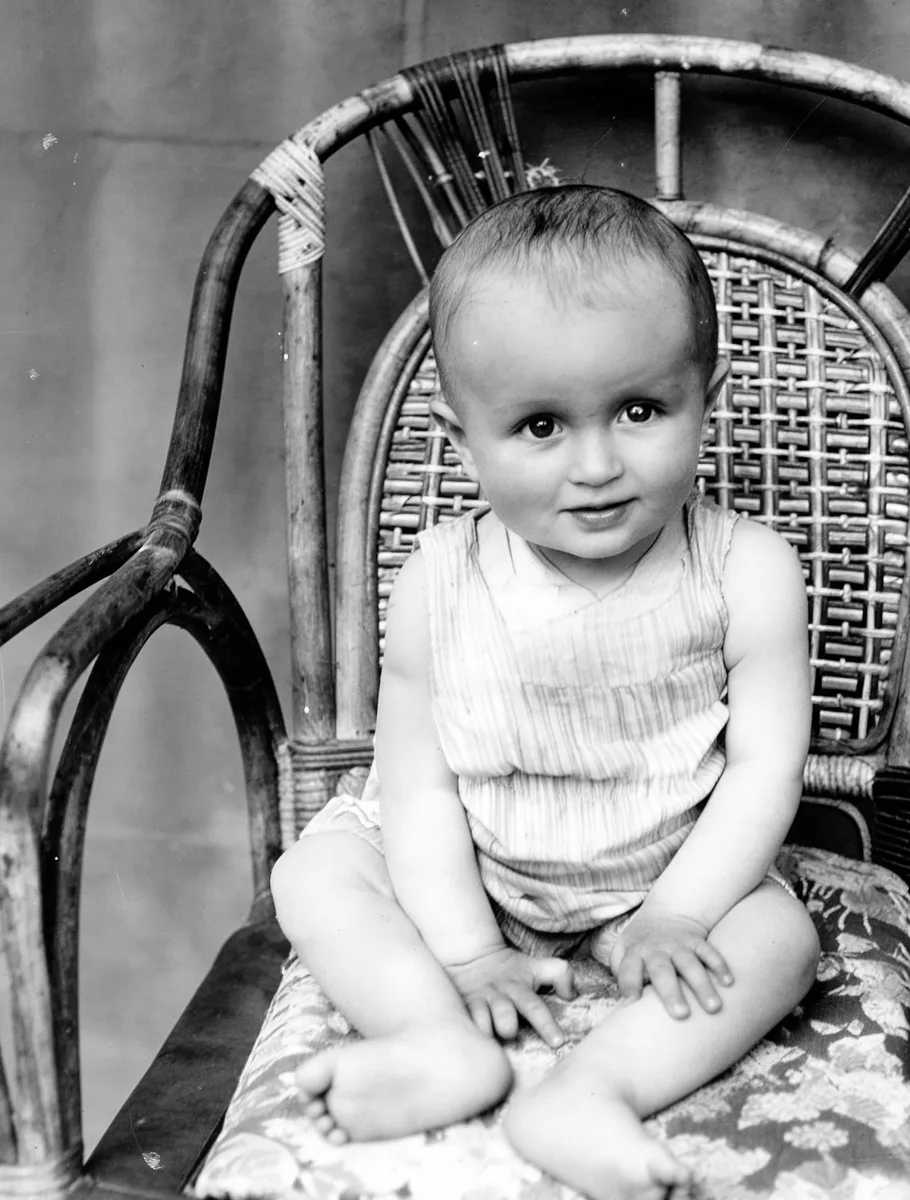 After
After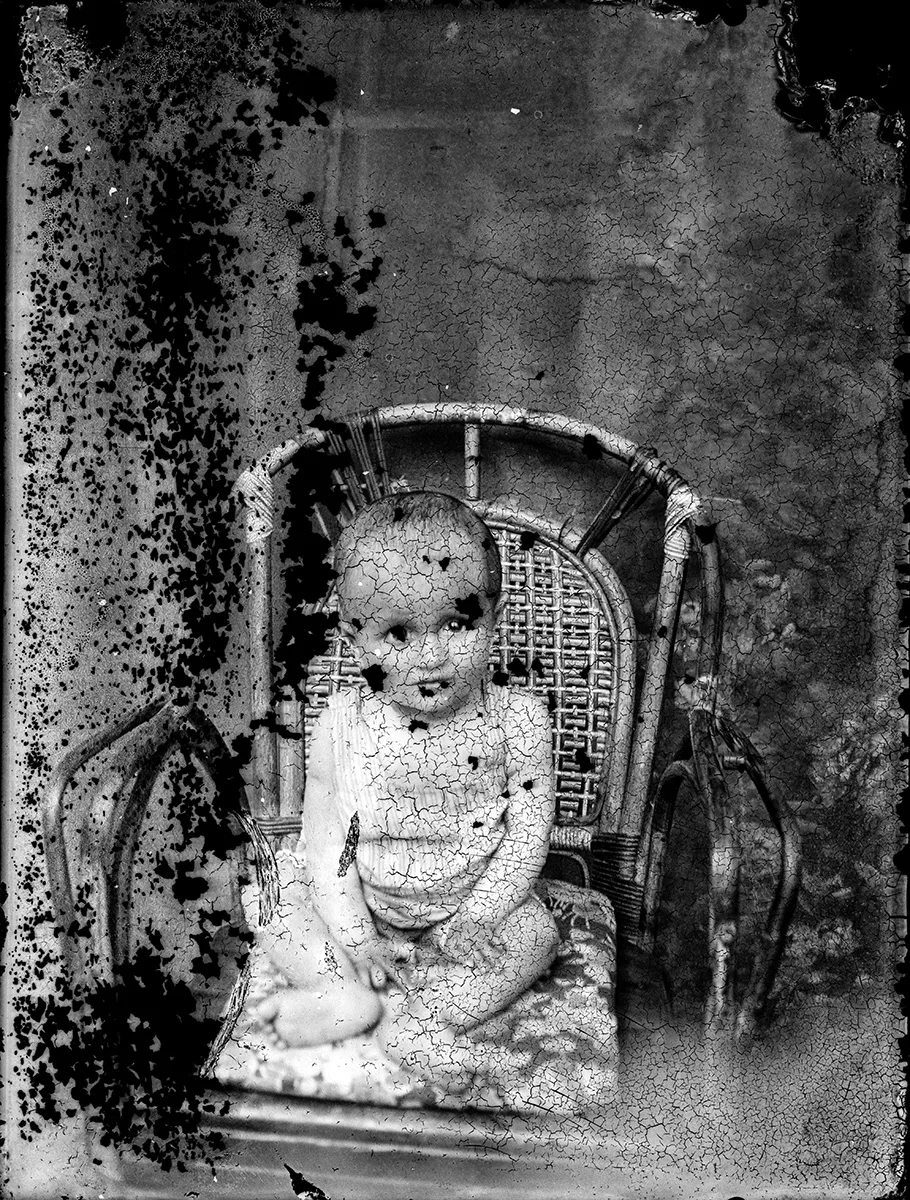 Before
Wet prints grow mold within about two days, so the physical rescue comes before any software. This protocol is condensed from the Northeast Document Conservation Center's emergency salvage guidance and the National Park Service's disaster leaflet.
Stacks that dried stuck together deserve extra caution. The gelatin layer welds prints to each other, and the Smithsonian Archives advises against separating them with water, since different photographic processes react unpredictably and writing on the back can run. Separate only what parts willingly, and let a conservator handle the rest.
Once the prints are dry, photograph each one in soft window light, square-on. From there the repair is digital, and the picture side of water damage cleans up remarkably well. Our damage-by-damage guide covers every other kind of damage the same way.
Three steps from a stained print to a clean picture. Same on iPhone, Mac, and the web.
Photograph the print in soft daylight, or scan it. Capture it exactly as it is, stains and all, because this copy is also your safety net.
Pinch and rotate inside the preview to frame just the print, then tap Fix Photo. Tide marks, staining, silt, and mold spots are cleared while sharpness and lighting come back.
Drag the slider across the result to check it against the original, the same review we use on every example we publish. Your original file stays untouched.
One tap handles what the flood left behind on the picture.
The brown edges and watermarks that dried water leaves across a print lift out while the underlying image is preserved.
Dark mold speckle and fine silt residue clear the way scratches do, and the pass sharpens softened detail at the same time.
Water-dulled contrast and shifted color come back to life. The original colors are kept; add color to monochrome prints with Fix & Colorize.
Where water dissolved the image completely, the repair becomes a reconstruction rather than a recovery. Our methodology page shows both outcomes on real flood-damaged photos.
Usually, yes, when you act inside the first 48 hours. Dry or freeze the prints before mold starts, then photograph each one and run Fix Photo. Tide marks, staining, and mold spots clean up well; where water dissolved the image completely, the repair becomes a reconstruction.
Be careful with soaking. The Smithsonian Archives advises against separating stuck photos with water, because different photographic processes react unpredictably and inks on the back can run. Separate only what parts willingly, capture what you can see, and take irreplaceable pieces to a conservator.
Yes. In the digital copy, mold spots, tide marks, silt speckle, and staining lift out the way scratches do, while sharpness and lighting are restored in the same pass. The physical print still needs to be dried and stored properly, as covered in the salvage steps.
No. PicFix produces a repaired digital copy from a photo or scan of your print, and your original file is never altered. The physical rescue, meaning drying, freezing, and safe handling, is described in the salvage protocol on this page.
The example above is a 1930s glass plate from the Costica Acsinte Archive, restored with one tap. Yours takes about a minute.