Open PicFix in your browser
Go to the web app and upload an old photo, or paste one straight from your clipboard. It works on Android, iPhone, Windows, and Mac alike.
Some restoration routes cost nothing, and this page maps them, from library scanning days to free image editors. When you want the one-tap version instead, PicFix repairs scratches, fixes fading, sharpens detail, and adds color in your browser for pennies to a few dollars per photo.
 After
After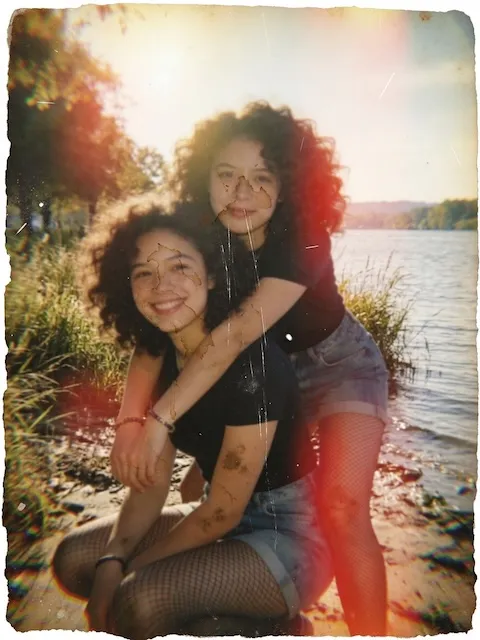 Before
Whatever is wrong with your photo, its safest day is today. Before any repair, photograph the print as it is: soft window light rather than flash, square-on, filling the frame. Never force a curled or brittle print flat, because software straightens a skewed capture losslessly and nothing repairs a print that cracked while being flattened.
From there, pick the guide that matches the damage: scratches and creases, tears and missing pieces, water damage (including the 48-hour salvage protocol for wet prints), fading and color shift, blur, or adding color to monochrome prints.
Every example we publish comes from real damaged photos through the production pipeline, failures included, on our methodology page. The damage-by-damage guide gives the honest verdict for each damage type.
Many public libraries and local historical societies run digitization days where staff scan your prints at no charge, often on better equipment than a home flatbed. The Library of Congress publishes solid guidance on caring for and handling photographs before and after that scan.
The repair itself can also be done by hand in a free, open-source image editor. Clone and heal tools will close scratches and small tears, and curves will lift fading. Budget an evening per photo and expect a learning curve: fine for one treasured print, slow going for a shoebox.
Web tools that advertise free AI restoration usually attach a catch at download time, a watermark, a low-resolution export, or an account wall. Check what the saved file actually looks like before you spend time uploading a batch.
A one-tap AI pass runs pennies to a few dollars per photo, and our cost guide compares that with human retouching, which starts around $29 per photo. PicFix shows the price before anything is charged, your original file is never altered, and the whole flow runs in the browser with nothing to install.
Three steps, straight from your browser. Nothing to install.
Go to the web app and upload an old photo, or paste one straight from your clipboard. It works on Android, iPhone, Windows, and Mac alike.
Fix Photo repairs damage and sharpens while keeping the original colors. Fix & Colorize also adds natural color to black and white pictures.
The restored photo opens with a before and after slider. Download it or share it with family.
Faded portraits, scratched group shots, black and white prints, crooked scans. Drag any slider to compare.
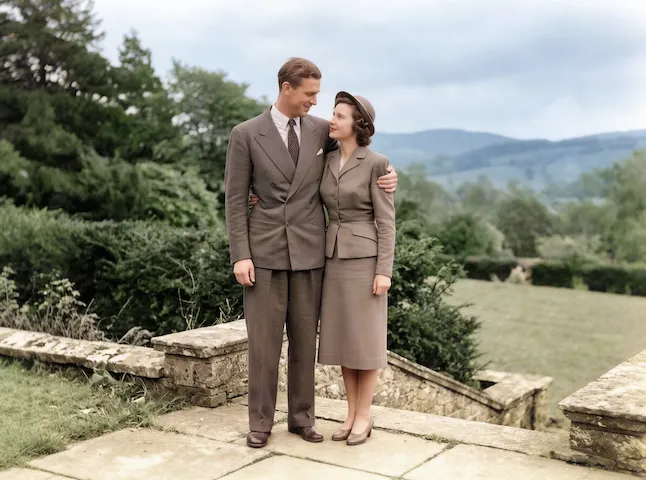 After
After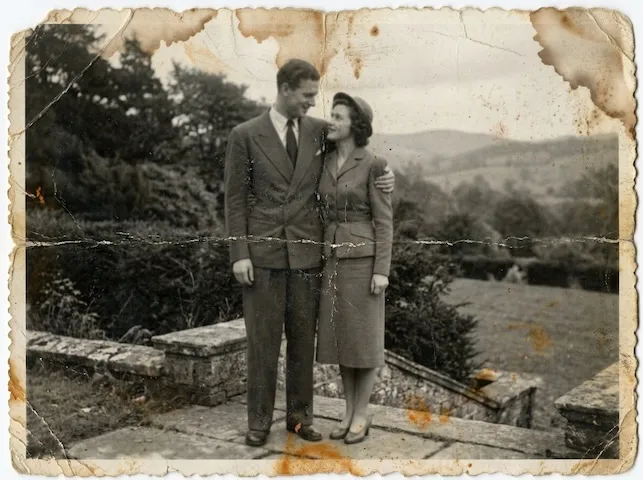 Before
 After
After Before
The genuinely free routes are digitization days at public libraries, which scan prints at no charge, and doing the repair yourself in a free image editor with clone and heal tools. Both trade your time for the saving. AI tools like PicFix charge per photo, pennies to a few dollars, and finish in seconds.
No. PicFix runs in any modern browser on phone, tablet, or computer, including Android and Windows. There is also a native iPhone and Mac app if you prefer, but the web version needs no install.
Restorations are paid, through credit packs or an optional subscription, and the price is shown before anything is charged. Downloading the app costs nothing, and your original photo is never altered.
Photos you submit are processed on our servers to restore them, then deleted shortly after. We do not train models on your photos and do not share them with third parties. See the privacy policy.
In your browser, in under a minute. Nothing to install.