Capture the print
Photograph it in soft window light or scan it. Even a phone photo of a framed print works, and the capture also stops the clock on further fading.
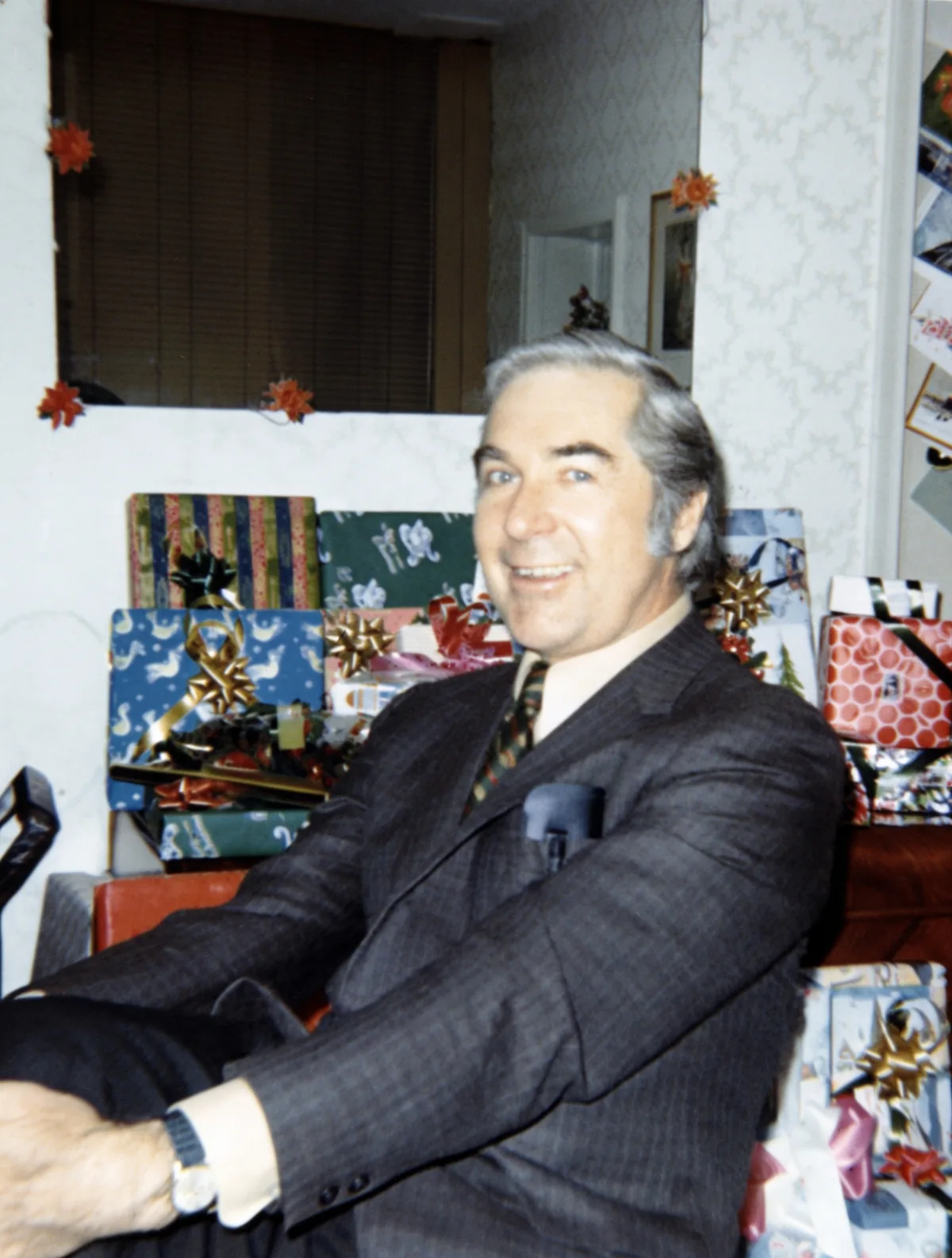
A faded print still holds its picture, compressed into a narrow, murky range. PicFix re-stretches tone, rebalances color, and sharpens detail in one tap, on iPhone, on Mac, or in your browser.
 After
After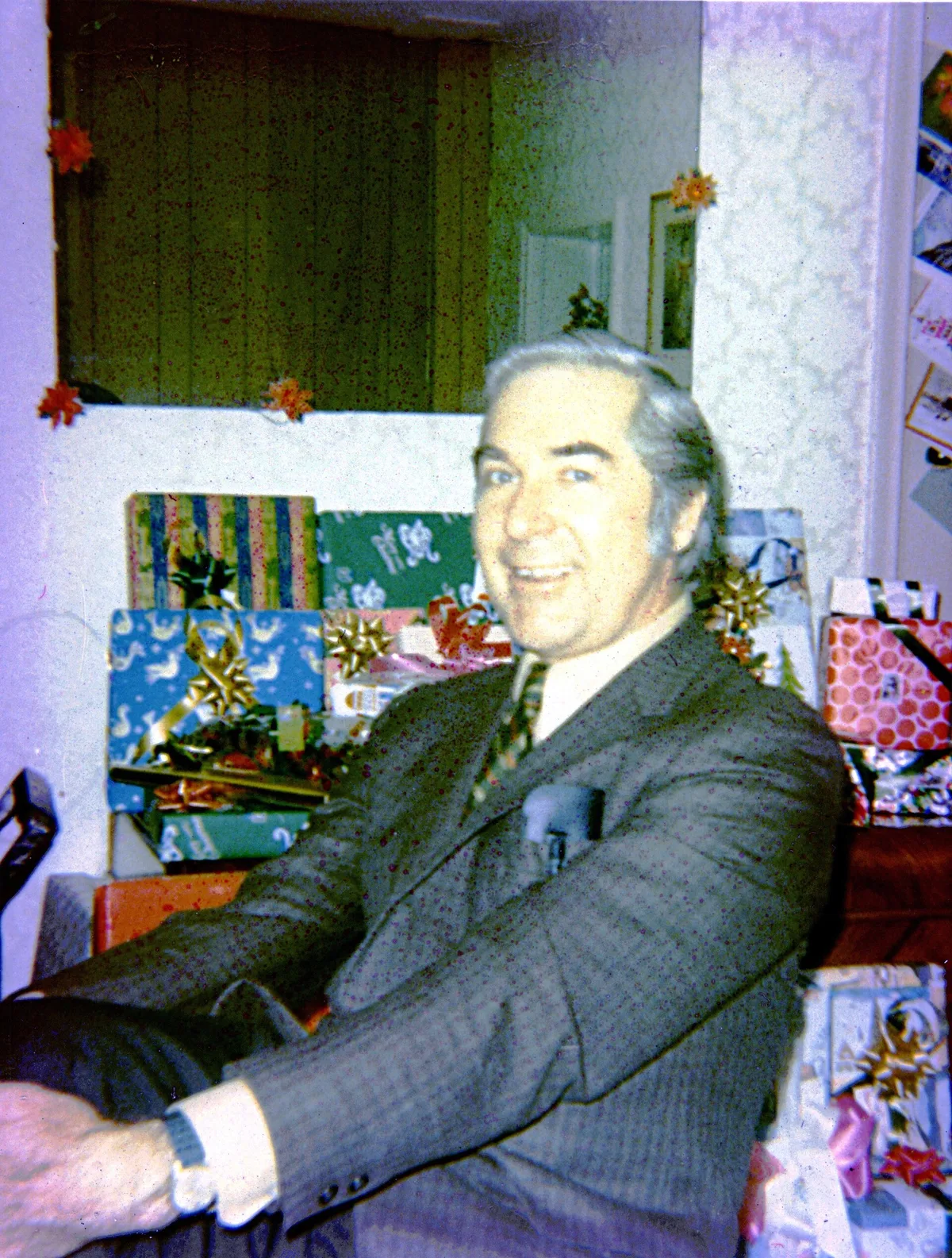 Before
Color prints from the 1960s through the 1990s were made with dyes that age at different speeds, even in the dark, so the whole picture drifts warm and washes out. Black and white prints are chemically tougher; when they yellow, the paper and leftover processing chemicals are usually to blame. Instant prints have it worst, because the developing chemistry stays inside the print and keeps working on it for decades.
The fading is chemical and it continues, which makes the capture
urgent in a calm way: photograph or scan the print today and the
version you hold can never get worse. The restoration itself
recovers what the fade compressed. Contrast returns, color
rebalances, and detail sharpens, because the information was still
in the print.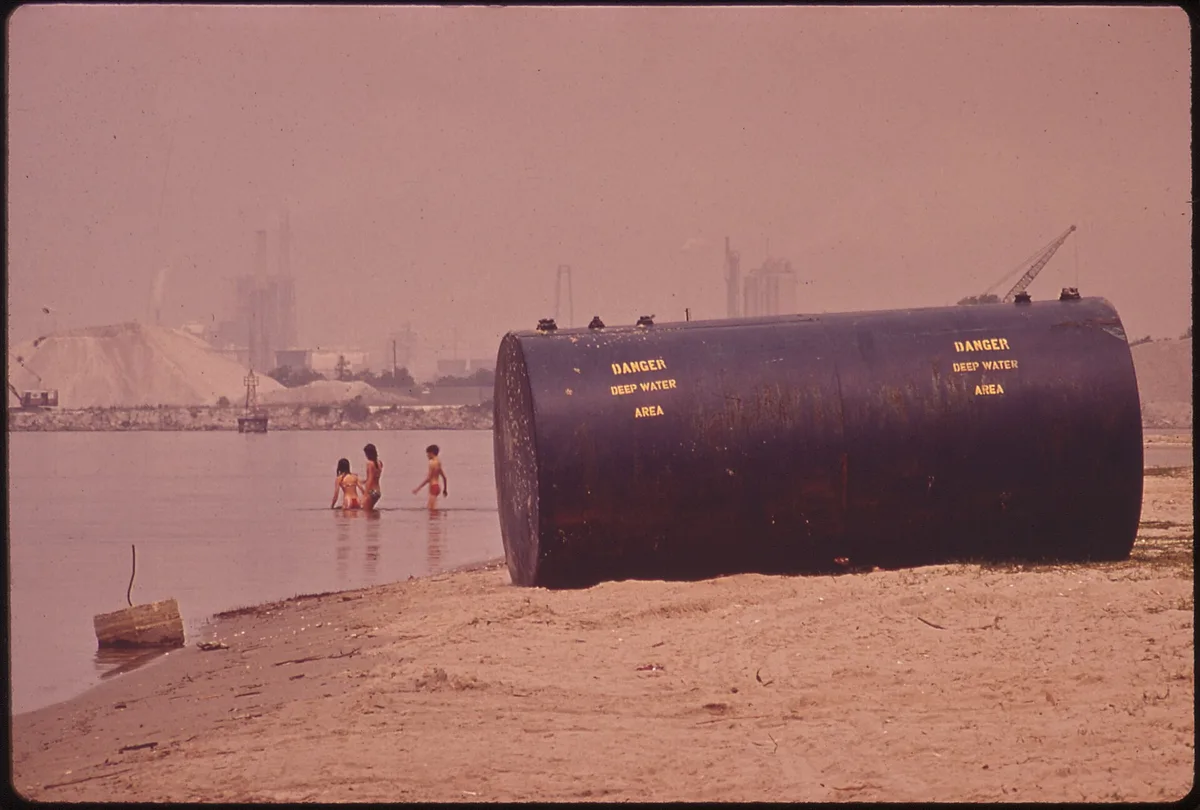
One honest boundary. A print faded almost to blank has too little left, and the repair crosses into reconstruction. Our methodology page shows where that line sits on real photos, and the damage-by-damage guide covers every other kind of damage.
To slow the fading of the prints themselves: store them dark, cool, and dry in acid-free boxes, away from PVC sleeves and magnetic albums, and out of attics and basements where the climate swings.
Three steps from a washed-out print to a vivid picture. Same on iPhone, Mac, and the web.
Photograph it in soft window light or scan it. Even a phone photo of a framed print works, and the capture also stops the clock on further fading.
Pinch and rotate inside the preview to frame just the print, then tap Fix Photo. Tone re-stretches, color rebalances, and softened detail sharpens in the same pass.
Drag the slider across the result to check it against the original. Keep both versions; the faded original is never overwritten.
One tap recovers what decades of dye drift took out of the picture.
Orange, magenta, and green casts from aged dyes rebalance to natural skin tones and true-looking color.
Washed-out highlights and murky shadows separate again, so the picture stops looking like it sits behind fog.
A faded black and white or sepia print comes back clean in its original palette. Want color added? Fix & Colorize does that as a separate tap.
A print faded nearly to blank forces reconstruction, and we say so rather than pretend otherwise. The methodology page shows both regimes.
Yes, and fading is the friendliest damage there is. The picture is still in the print, compressed into a narrow, murky range, and Fix Photo re-stretches tone and rebalances color in one pass. A print faded almost to blank is the exception, where repair becomes partly a reconstruction.
Color prints from the 1960s through the 1990s were made with dyes that age at different speeds, even in dark storage, so the whole picture drifts warm and washes out. The drift is chemical and keeps going, which is a good reason to capture the print now.
Yes. Fix Photo preserves the original palette, so a monochrome or sepia print comes back clean and still monochrome. If you want lifelike color added on top, that is a separate one-tap operation, Fix and Colorize.
Store prints dark, cool, and dry, in acid-free boxes or sleeves. Avoid magnetic albums and PVC plastic sleeves, keep prints out of direct sunlight, and never store them in attics or basements where temperature and humidity swing. Instant prints age themselves chemically, so capture those first.
The examples above: a 1971 family print by CACook7 (CC BY-SA 3.0) and a 1972 US National Archives slide, both restored with one tap. Yours takes about a minute.