Pick the damaged photo
Choose it from your camera roll, or photograph the print directly. For a physical print, a sharp, evenly lit photo of it gives the AI the most to work with.
PicFix removes scratches, creases, tears, and spots from old photos, then sharpens detail and corrects faded lighting. Pick a damaged picture, tap once, and the repaired version is ready in seconds. It runs on iPhone and Mac, or in your browser.
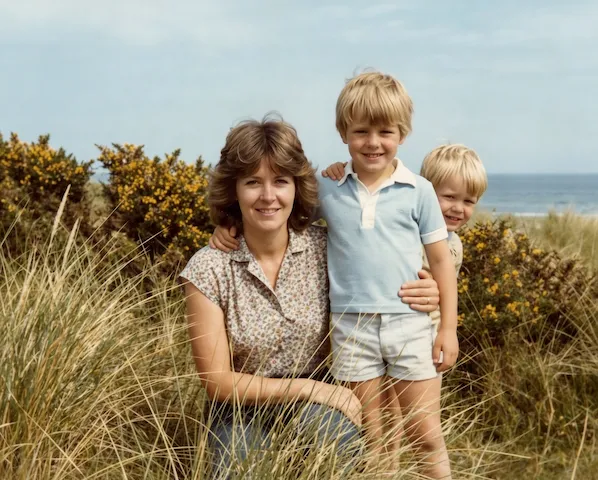 After
After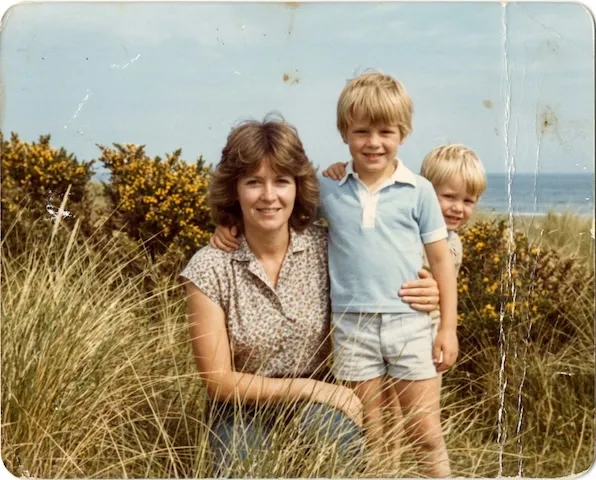 Before
Most scratches come from grit: dust on a shelf, sand in a shoebox, a dry cloth wiped across a glossy surface. Emulsion also cracks on its own where a print has been flexed or folded. So resist the urge to clean a dusty print by rubbing it; lift loose dust with a soft blower or nothing at all, and let the capture do the rest.
The repair reads the pattern on both sides of each scratch and joins
it back together, which is why thin damage closes invisibly. A deep
crease across a face deserves a slower look: drag the compare slider
and check the repair against the original, the same review we run on
every example we publish.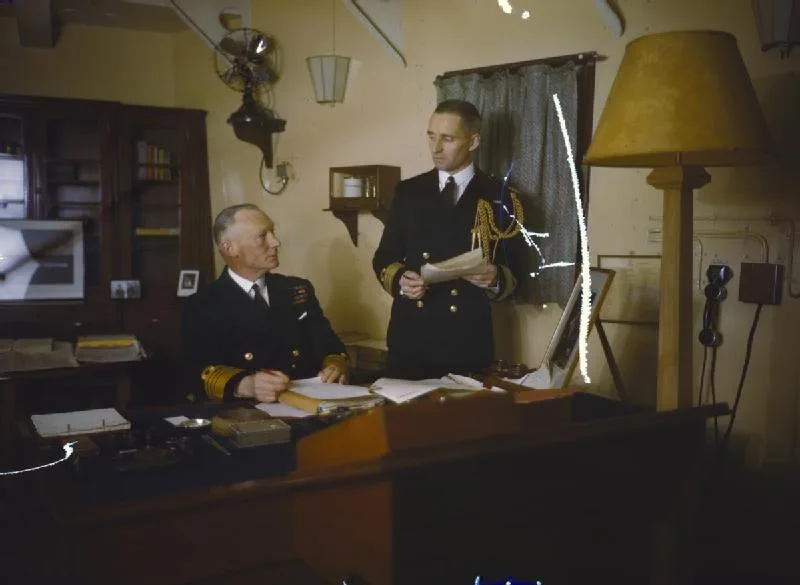

Tears and missing corners follow their own rules, covered in the torn photos guide and, damage by damage, in the full guide. The photograph above also anchors our military photos guide, where uniform detail gets its own honest check.
Three steps from a damaged print to a clean, repaired photo. Same on iPhone, Mac, and the web.
Choose it from your camera roll, or photograph the print directly. For a physical print, a sharp, evenly lit photo of it gives the AI the most to work with.
Pinch and rotate inside the preview to frame just the photo, not the frame around it, then tap Fix Photo. Scratches, creases, and spots are cleared while sharpness and lighting are restored.
Open the repaired photo and drag the slider across it: the scratches and creases vanish under your finger. Keep both versions, since the damaged original is never overwritten.
One tap handles the damage that ages physical prints, all at once.
Surface scratches, fold lines, dust spots, and small tears are reconstructed from the surrounding image so the repair blends in naturally.
Beyond the damage, Fix Photo sharpens softened detail and corrects fading and underexposure, then upscales the result to a crisp, high-resolution image.
Fix Photo preserves the existing colors. Want to add color to a black and white picture too? Use Fix & Colorize instead.
Repairs are non-destructive. PicFix writes the cleaned-up photo as a new file and leaves the scratched original exactly as you imported it, so nothing is lost if you prefer the patina.
Open PicFix, pick the damaged photo, and choose Fix Photo. The AI clears scratches, creases, and spots while restoring sharpness and lighting, in a few seconds. You can do it on iPhone, Mac, or in your browser.
Yes. Fix Photo repairs scratches, creases, fold lines, and small tears by reconstructing the damaged areas from the surrounding image. Very large missing regions are estimated and may not match the lost detail exactly.
Fix Photo keeps the original colors and content, repairing only the damage while sharpening and correcting faded lighting. Your original is saved untouched so you can compare the two side by side.
PicFix is free to install. Repairs are sold as credit packs or an optional subscription, and you see the price before anything is charged. Your original photo is never altered.
Clear scratches and damage from an old picture in under a minute.